
This page explains the VPixx Scientist Account and how it integrates with LabMaestro. After reading this page, you will know:
-
What features a Scientist Account provides.
-
How your account differs from your hardware license.
Connecting Your Scientist Account
LabMaestro can connect to a VPixx Scientist Account. The login interface is accessible from the top right of the LabMaestro window:
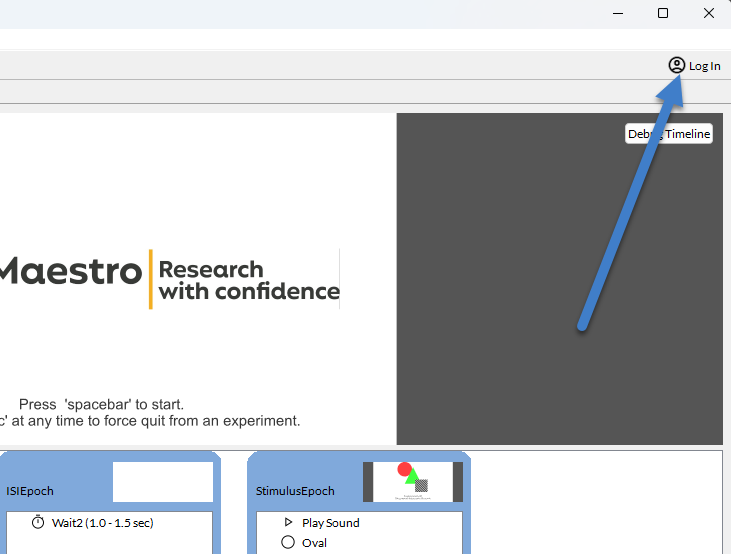
Creating a Scientist Account is optional. An account provides access to the following features:
-
LabMaestro Pack&Go: Remote, browser-based experiment execution. The Remote Experiments pane in the LabMaestro interface can be used to upload
.lmprojects directly to Pack&Go for remote management and testing. A logged-in account is required. -
Online Component Library: Download components contributed by VPixx staff scientists and other LabMaestro users, or upload custom components for use by collaborators.
-
Release notifications: View software release notes and other updates in the What's New section of the account portal.
If you already use Pack&Go, the same credentials can be used to log in to the Scientist Portal.
Scientist Account vs. License
Your Scientist Account and your hardware license are separate:
-
Your account is optional and provides access to online services (Pack&Go, component sharing).
-
Your license (through compatible VPixx hardware or a standalone USB key) determines whether LabMaestro runs in full mode or with restricted features.
For details on licensing, see System Requirements and Installation.
Related