Introduction
This page introduces the LabMaestro Experiment Builder data file structure, including how the LabMaestro application saves project data.
By the end of this tutorial, you should:
-
Understand the LabMaestro Project file format (.lm)
-
Know what information comprises the project file.
Prerequisites
-
Have LabMaestro installed and activated.
LabMaestro Projects and .lm Files
Project files are a convenient means to preserve project-related information for future use. LabMaestro saves project files in LabMaestro binary format (.lm extension). They can be loaded, edited, and saved from LabMaestro’s File Menu. Project files are self-contained and include information on experiment design, hardware preferences, multimedia resources, and collected data.
As of Version 1.13, to avoid data loss if a project is corrupted, LabMaestro automatically generates a project backup when you first open a project. This backup is stored in your LabMaestro/Automatic Backups folder and is updated every time you open the project on your computer.
As a precaution, you should not rely exclusively on these automatic backups. We recommend saving frequent backups in a different location, server, or hard drive to limit potential data loss.
An overview of the project content is summarized below.
Experiment Design
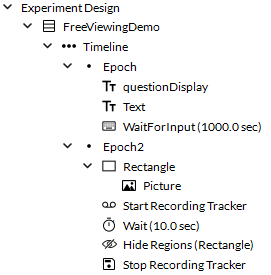
Experiment Design includes all components from the Component Library, including Methods, Timelines, and Epochs. This section of the project handles the structure of your experiment flow.
For more information on Experiment Design elements, please see this page.
Environment
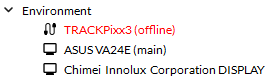
The environment represents the context within which LabMaestro operates. It lists the physical devices that LabMaestro recognizes, including displays and VPixx hardware, along with their current settings.
For projects that require specific devices with particular settings to function properly, you can seamlessly integrate them into *.lm files. Once added, LabMaestro adds all devices and settings to project components and verifies them during the Pre-Launch Validation phase.
For more information on VPixx hardware integration, please see this page.
Resources
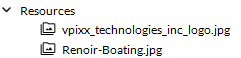
Resources include all images, audio and video files you have imported to your project. These can include visual/audio stimuli you may show to participants during the experiment. Resources are generally called in component properties, but can also be used to help visualize data within the LabMaestro application itself.
For more information on importing and managing resources, please see this page.
Recordings
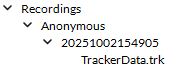
Recordings refer to all data files created from experiment sessions, including Method elements results as well as digital, analog, and tracker outputs. LabMaestro sorts data files by experiment session and can export them in accordance with the BIDS data structure. Users can preview their recorded data directly in LabMaestro before exporting and processing it with other software, streamlining experiment design and data collection processes by providing immediate feedback.
To view all the recorded data, navigate to the Project Panel and expand the Recordings header. The recorded data are sorted first by participant ID, then by the start date and time of the recording sessions.
The date and time stamp of the recording sessions follow the format YYYYMMDDHHMMSS, where:
-
YYYY is the year
-
MM is the month
-
DD is the day
-
HH is the hour
-
MM is the minute
-
SS is the second
Clicking the recorded data file opens a data visualization tab with its default visualization. Please see this page for more information on data visualization tools.