
Thank you for your patience as we continue to update our library of user manuals. This page is currently under construction and will be updated with new content soon. Please refer to the PDF user manual linked below for the time being.
Product Overview
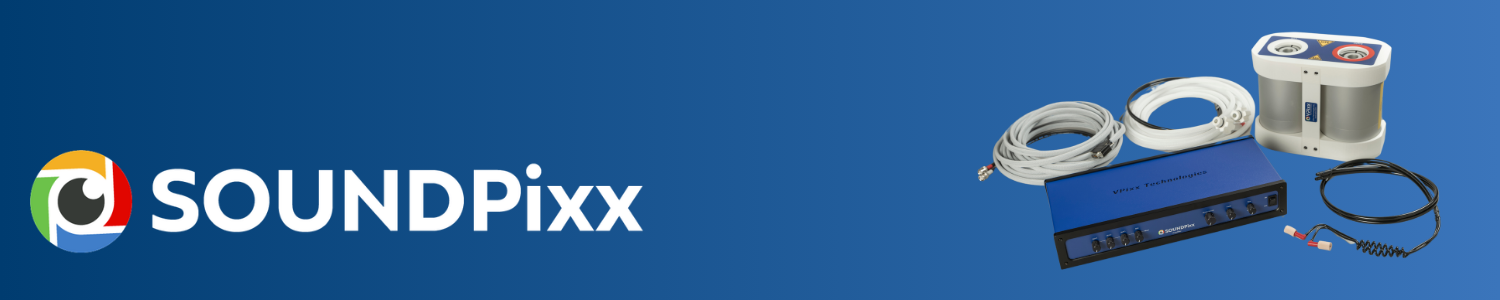
The SOUNDPixx is a complete MRI audio system that provides MRI-compatible audio entertainment while enabling cross-modal research when used with our PROPixx or DATAPixx system. The system will give you microsecond-precise audio stimulation when driven by VPixx hardware.
The SOUNDPixx MRI stereo sound system delivers true stereo music to the subject, which studies have shown can help overcome claustrophobia.
The SOUNDPixx includes separate audio-level adjustments for the subject and the control room speakers. The operator can independently control the control room sound level without affecting the subject’s sound levels.
Product Details (What’s in the box)
Immediately after receiving your SOUNDPixx system, verify that no components are missing by consulting the following table:
|
Item |
Name |
Quantity |
MR Safety |
|---|---|---|---|
|
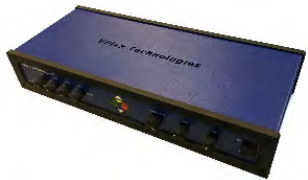
Amplifier |
1 |

|
|
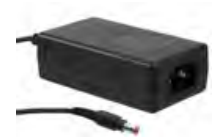
Amplifier Power Supply |
1 |
|
|
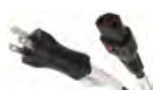
Power cord |
1 |
|
|
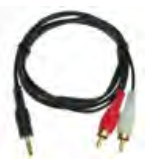
10-foot Molded 3.5mm Male to 2 x RCA Male Audio Cable |
3 |
|
|
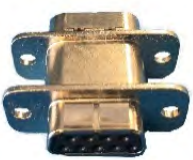
DB9 Filter |
2 |

|
|
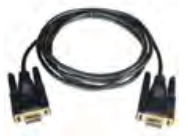
70-foot DB9 cable |
1 |
|

|
30-foot stereo coax cable |
1 |
|
|
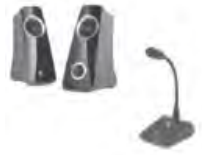
Microphone and speaker package |
1 |
|
|
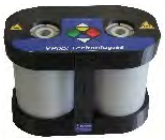
Transducer* |
1 |
|
|
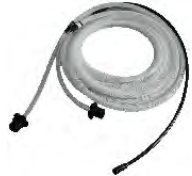
Transducer pneumatic tubing (12-foot) |
1 |

|
|
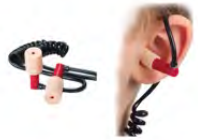
MRI coil headset |
1 |
|

|
Replacement plugs |
260 pairs |
|

|
Industrial Velcro |
2 |
|
(*): Conditionally MR safe, but refer to installation procedure
The transducer contains a finite amount of magnetic material and should be kept 3 ft away from the magnet’s bore. It can be harnessed underneath the MRI using the supplied industrial Velcro.
Hardware Description
The following figure shows the rear panel of the SOUNDPixx amplifier.

|
Connector |
Type |
Description |
|---|---|---|
|
Control Room Speaker |
XLR 5-pin |
Audio output for interfacing speakers in the control room |
|
Transducer |
DB9 |
Audio output, 8 Ohm for interfacing with transducer in magnet room using the appropriate cable and filter |
|
MIC |
XLR 3-pin |
Microphone input |
|
AUX 1 |
RCA |
Audio input |
|
AUX 2 |
RCA |
Audio input |
|
AUX 3 |
RCA |
Audio input |
|
DC OUT +12 V |
DC Output LEMO |
DC power output, +12 VDC, 20 watts MAX |
|
DC IN +12 V |
DC Input LEMO |
DC power input, +12 VDC, 40 watts |
Specifications
The SOUNDPixx stereo system kit allows you to stimulate a subject with precise audio waveforms. The system’s MRI-compatible transducer is designed to be introduced into an MRI environment without adversely affecting test data, while the system’s amplifier (which is NOT MR Safe) is installed in and operated from the operator control room.
SOUNDPixx Amplifier Specifications

The SOUNDPixx amplifier is a multi-function 45-Watt auto-mixing amplifier designed for continuous operation in distributed music, paging and audio applications.
-
MR unsafe component. The amplifier is installed in the operator’s control room.
-
Aluminum casing
-
Width: 37.8 cm (14.88 inches)
-
Depth: 16.2 cm (6.38 inches)
-
Height: 7.32 cm (2.88 inches)
-
Three (3) AUXILIARY inputs for iPod, computer, CD/DVD or DATAPixx subsystems
-
One (1) microphone input
-
One (1) DB9 output for driving transducer
-
One (1) XLR 5-pin Control Room Speaker output
-
Low- and high-frequency equalizer
• MR unsafe component. The amplifier is installed in the operator’s control room. • Aluminum casing • Width: 37.8 cm (14.88 inches) • Depth: 16.2 cm (6.38 inches) • Height: 7.32 cm (2.88 inches) • Three (3) AUXILIARY inputs for iPod, computer, CD/DVD or DATAPixx subsystems • One (1) microphone input • One (1) DB9 output for driving transducer • One (1) XLR 5-pin Control Room Speaker output • Low and high frequency equalizer
SOUNDPixx Transducer Specifications
-
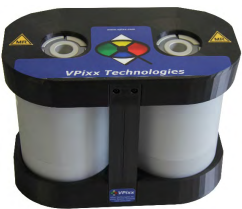
Conditionally MR safe component
-
Aluminum and plastic casing
-
Extra-large stereo tubing for greater fidelity
-
Vinyl tubing
-
12-foot stereo tubing
-
Semi-rigid for durability and consistency
-
Universal adapter for use with different pneumatic headphones
-
Input impedance: 8 Ohm
The SOUNDPixx transducer also includes MRI coil headsets that provide 30 dB NRR, tested to ANSI standards, available in standard and mini sizes to accommodate all ear shapes and sizes, including children.
Headsets meet and exceed ISO 60601-1-33 specifications. The transducer also includes 250 pairs of standard-size plugs (0.75” x 0.50”) and 10 pairs of mini-size plugs (0.75” x 0.38”).
Assembly and Installation
Follow these instructions to install your SOUNDPixx stereo system.
Verify MR warning labels on each SOUNDPixx component you intend to bring into the MR room. Failure to do so may cause severe injury or damage to equipment.
1. SOUNDPixx Transducer Installation
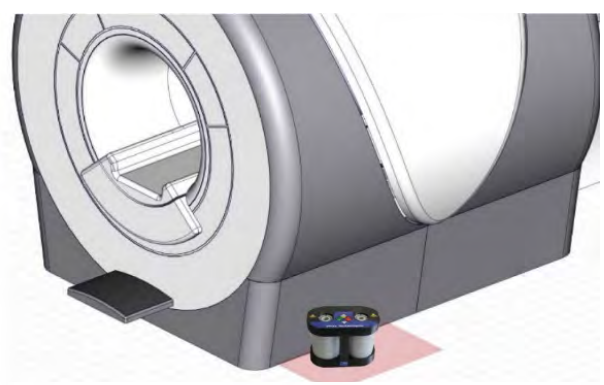
The transducer contains a finite amount of magnetic material and should be kept 3 ft away from the magnet’s bore. You can mount it underneath the MRI using the supplied transducer mount.
Install the SOUNDPixx transducer on the floor near the front of the magnet, 3 ft from the magnet’s bore. Place it where it will not pose a trip hazard when the operator attends to the participant, and keep in mind that the 12-foot air tubing must reach the subject inside the magnet.
Industrial Velcro is supplied to let you mount the transducer near the MRI magnet. Attach two strips of Velcro to the bottom of the transducer box. This will let you mount the SOUNDPixx Transducer securely.
One of the most common mounting locations is the front left or right side of the MRI.
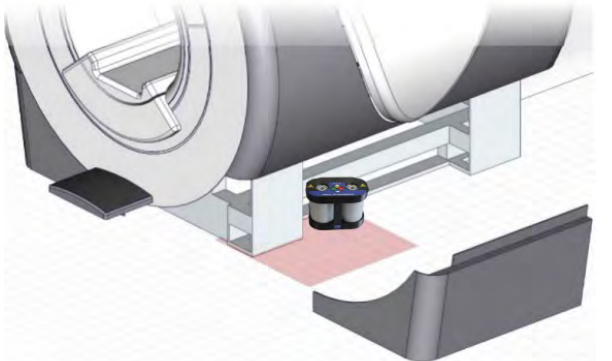
You may also remove the lower side panels on the desired placement side of the MRI and secure the transducer using the included mount underneath the magnet.
Before installing the transducer, clean the floor space with alcohol or another non-oil-based cleaner so the Velcro layers’ sticky surfaces make strong, clean contact with the floor.
After the floor is clean and dry, peel off the protective paper to expose the sticky surface, then travel to the location where you chose to mount the SOUNDPixx Transducer, holding it securely as you move in the MR room. Carefully place it on the floor and press down firmly to ensure the sticky Velcro layers make strong, uniform contact with the floor.
2. Cable Installation
The SOUNDPixx system includes one RFI-filtered DB9 connector. This connector filters out noise while allowing audio to pass through. Mount the RFI-filtered DB9 connector on the RF penetration panel on the control room side.
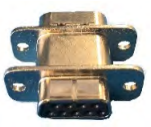
As illustrated on the figure below, a 75-foot DB9 cable runs from the SOUNDPixx amplifier to the RF penetration panel connected to the RFI-filtered DB9 connector. Inside the Magnet Room, 30-foot stereo coax cables run from the opposite RF-filtered DB9 connector along the wall (possibly hidden in a wireway/trough) to the SOUNDPixx transducer securely installed on the floor.
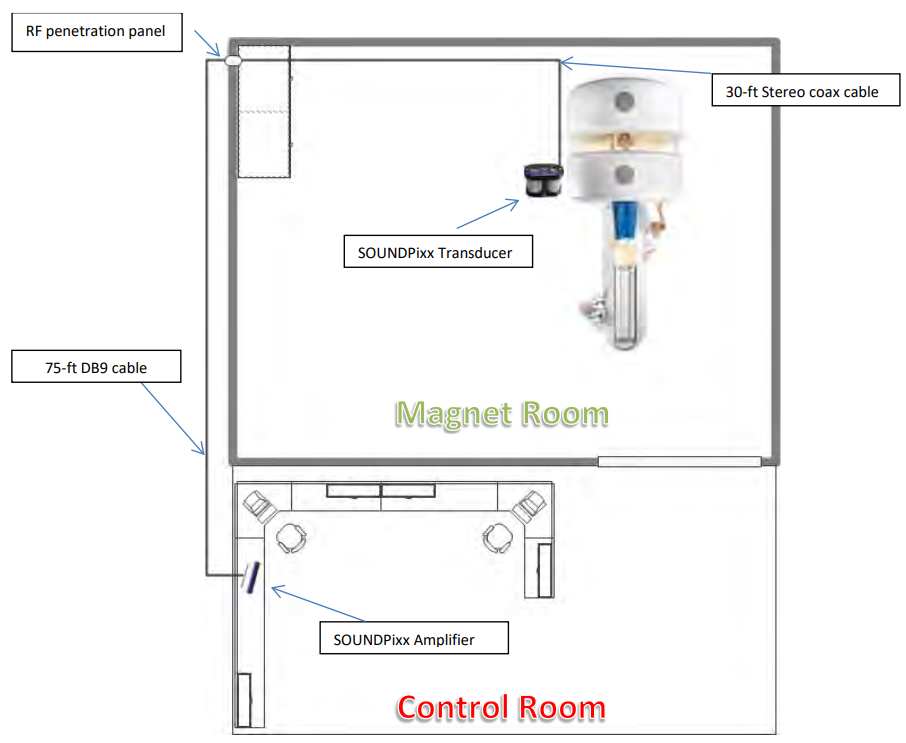
Ensure that there are no coils in the RF-shielded cable. Remove any coils present within the MRI suite by feeding cable slack toward the penetration panel. Once the slack is condensed at the penetration panel, flatten it and zip-tie it to keep the cable organized. Leave enough slack to adjust the transducer as needed.
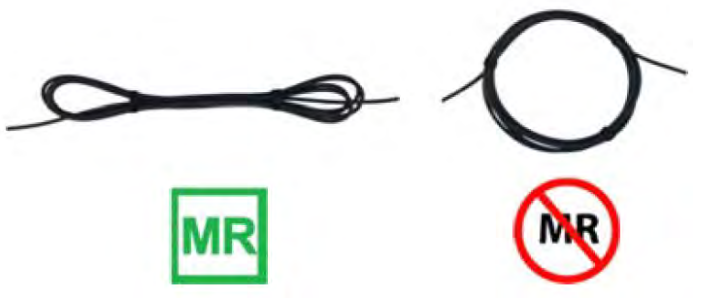
3. Tubing Installation
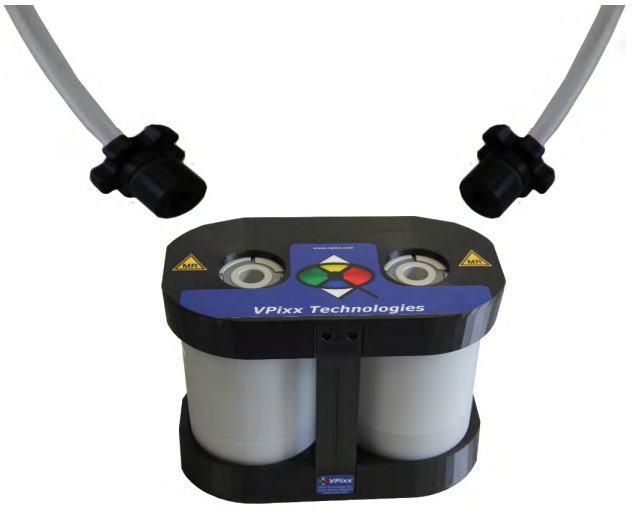
With the transducer securely installed, connect the stereo tubing to the LEFT and RIGHT transducer outlets.
Connect the MRI Coil Headsets to the main tubing headset interface.
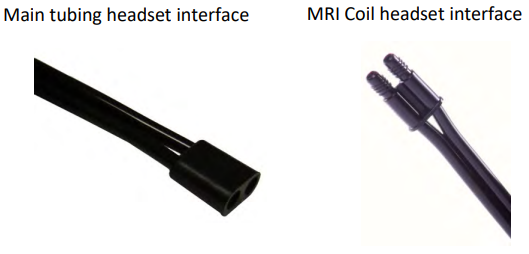
4. SOUNDPixx Amplifier Installation
The SOUNDPixx amplifier is not MRI compatible and should be installed in the control room. The SOUNDPixx amplifier works like a regular amplifier, allowing you to connect an audio generator and microphone. It also includes a volume control and a low- and high-frequency equalizer.

To get the SOUNDPixx amplifier ready for use, follow this procedure:
Use only the power supply and power cord supplied with the SOUNDPixx system. The power supply and power cord are medical-grade and should be used with a medical power outlet.
-
Connect the SOUNDPixx amplifier power cable to the wall outlet and connect the power jack to the amplifier’s DC IN +12 V port.
-
Connect the microphone to the MIC interface.
-
Connect the Control Room Speaker to the Control Room output.
-
Connect your audio source/generator to an AUX input using the adapter cable supplied with your SOUNDPixx system.
-
Connect the DB9 cable to the DB9 RFI filter on the penetration panel.
-
Test the sound level by putting on the supplied headphones and adjusting the volume to a comfortable level.
-
Your SOUNDPixx system is now ready!
Product Usage

MIC Volume Control
This control allows you to adjust the volume of the connected microphone. This control only affects the volume heard by the participant. It does not affect the microphone volume of the speaker in the control room.
Master Volume Control
This control lets you adjust the volume the participant hears through their headset. This control only lets you adjust the music output volume from the AUX1, AUX2, AUX3 or MIC inputs.
Bass and Treble Control
These controls allow you to boost or attenuate bass and treble in the participant’s headsets. They cannot modify the speaker's treble/bass in the control room.
AUX1, AUX2, AUX3 and MIC controls
These controls let you adjust the volume of their associated auxiliary inputs like a mixer, without amplification.
The Master Volume, Bass, and Treble controls do not affect the sound of the control room speaker.
Maintenance & Cleaning
Clean the surface of your SOUNDPixx components as required and depending on usage.
You can wipe down the SOUNDPixx amplifier, pneumatic transducer, cabling, and plastic tubing with a soft cloth sprayed with a cleaning/disinfecting solution. Do not spray solution directly on any of your devices. You can clean sockets and air tube interiors with compressed air.
Thoroughly disinfect headphones between uses, as they come into direct contact with your participant’s face. You can use a commercial disinfectant or rubbing alcohol to wipe down all tubing and plastic surfaces. In-ear headphones come with disposable, single-use foam plugs that should be discarded after use.
Do not use cleaners containing petroleum-based materials such as benzene, thinner, or any volatile substance to clean the SOUNDPixx.
Troubleshooting
Thank you for your interest in our products. This page is still under construction.
For assistance in installing or using your SOUNDPixx system, please https://docs.vpixx.com/contact
Compliance
The following table shows MR safety warning indicators and their names and meanings. Please pay special attention to the symbols on your equipment, and obey all guidelines to protect staff and equipment from injury.
|
Symbol |
Name |
Description |

|
MR safe |
Components marked with the green MR safe indicator present no danger to staff and equipment operating in the MR room. |

|
Conditionally MR safe |
The yellow Conditionally MR safe indicator denotes components that are only MR safe in a limited fashion. Product-specific safety requirements apply. For additional details, consult the product manual's safety section. |

|
MR unsafe |
The red MR unsafe indicator denotes components prohibited from entering the MR room. |
Safety & Warranty
The SOUNDPixx is warranted against manufacturing defects in materials and workmanship for two years for parts and labour from the date of purchase.