
Thank you for your patience as we continue to update our library of user manuals. This page is currently under construction and will be updated with new content soon. Please refer to the PDF user manual linked below for the time being.
Product Overview
The i1Display Pro colorimeter features an advanced, high-end optical system with custom-designed filters. It provides a near-perfect match to the colour perception of the human visual system, delivering superior colour measurement results. i1Display Pro supports all modern display technologies, including LED backlight and wide gamut displays. It is spectrally calibrated, making it fully field-upgradeable to support future display technologies.
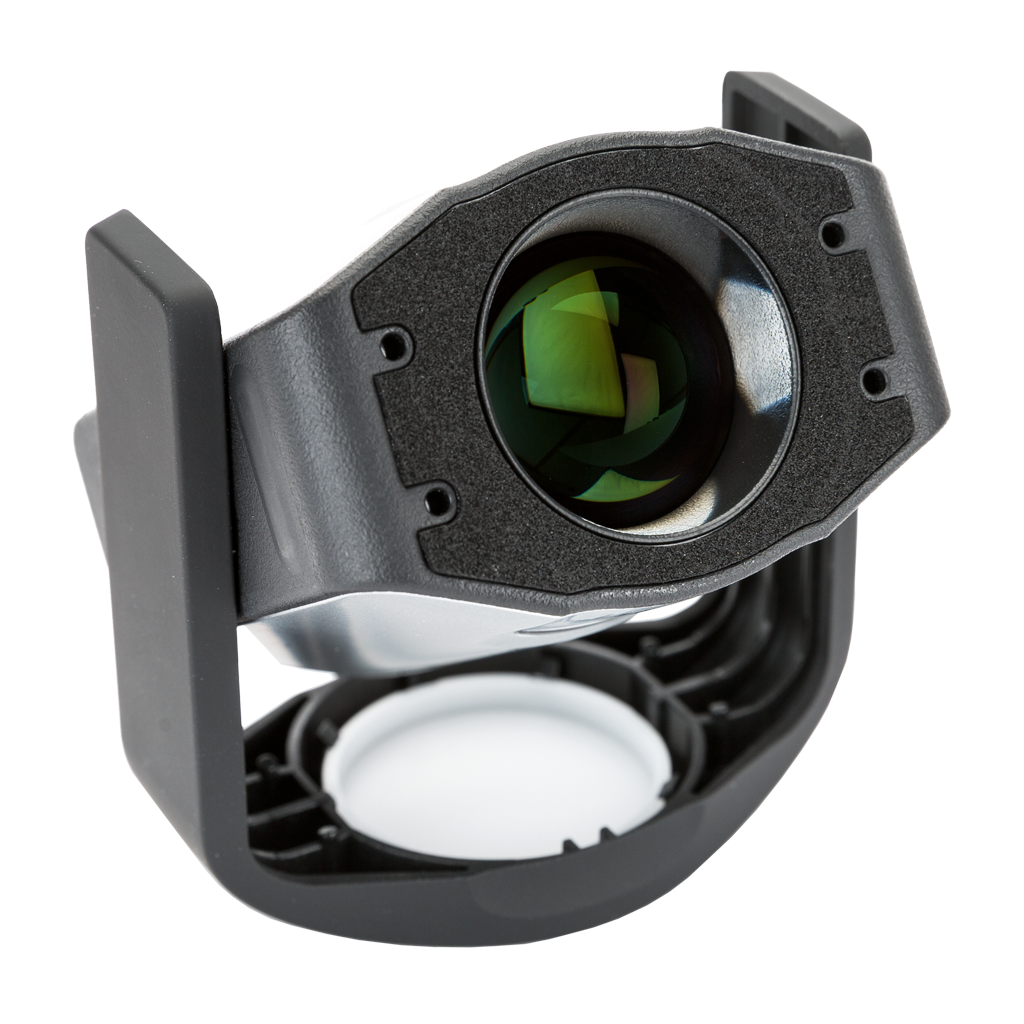
An innovative Swiss-engineered design makes the i1Display Pro much more affordable than previous generations of colorimeters. The i1Display Pro connects to your computer over a USB interface, allowing your own software to initiate automated measurements and acquire data. Software support includes a low-level ANSI C API as well as MATLAB/Octave and Python libraries for use under Mac OS X, Microsoft Windows and Linux.
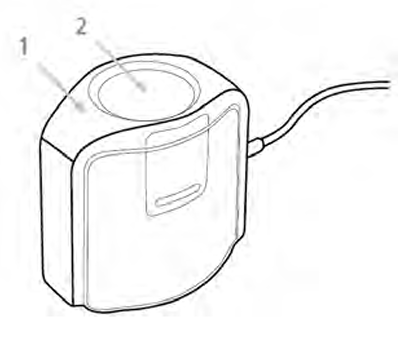
2. Ambient Diffuser
Product Details (What’s in the box)
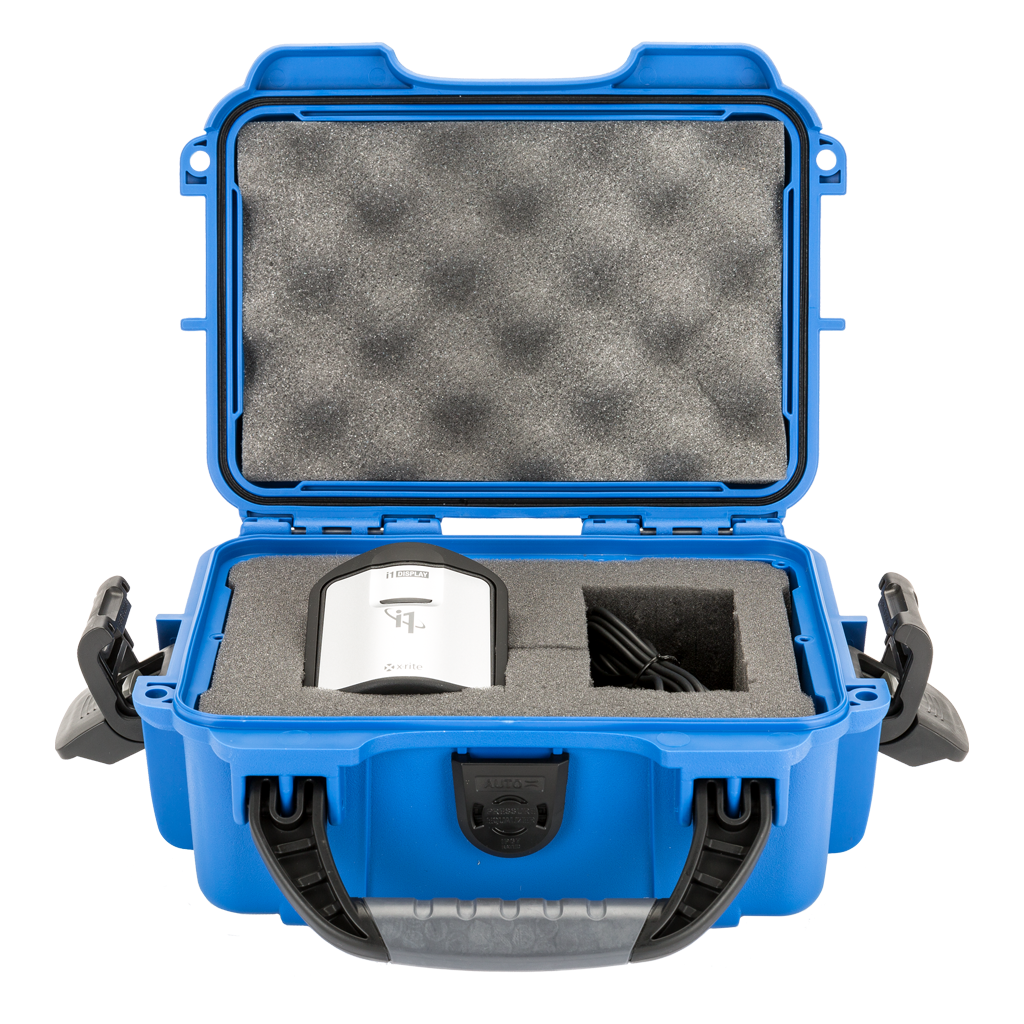
The X-Rite iDisplay Pro Colorimeter comes packaged in its own dedicated transport case. No other components ship with this item.
Specifications
Measuring Modes
-
Ambient Light Measurements
-
Emissive Light Measurement
-
Projector Measurement
Specifications
-
Colour-accurate measuring of all modern display types
-
Contact or non-contact display measurement modes
-
Ability to measure projector screens
-
Capability to measure ambient light (colour and illuminance)
-
Specifically designed for modern LCD display technologies (including CCFL, White LED, RGB LED, and Wide Gamut display technologies)
Optics Specification
-
Number of Channels: 3
-
Measurement Area (in contact): 24mm diameter circle
-
Acceptance angle: +- 5 degrees (at half max)
-
Luminance Measurement Range: 0.1 cd/m2 to 1 000 cd/m2
-
Minimum measurement integration time: 0.1s per measurement @ 100 cd/m2
-
Maximum measurement integration time: 6s per measurement @ 0.1 cd/m2
-
Effective measurement primaries: CIE Standard (1931) Observer
-
Ambient Measurement Angle: 160 cosine response
-
Ambient illuminance measurement range: 0.5 lm/m2 to 5 000 lm/m2
Measurement Performance
-
Accuracy: Illuminant A under X-Rite's standard measurement conditions
-
Color = ±0.004 x, y @ 100 cd/m2
-
Luminance = ±4.0% @ 100 cd/m2
-
-
Short-term repeatability: Illuminant A under X-Rite’s standard measurement conditions
-
Color = ±0.001 x, y @ 100 cd/m2
-
Luminance = ±1.0% @ 100 cd/m2
-
System Requirements
VPixx Software Tools are developed and supported under Windows, macOS and Linux (Ubuntu) operating systems. For an up-to-date list of supported OS versions visit Software Download & Information.
VPixx Software Tools is a package of APIs and high-level software tools for use with VPixx products. It contains everything you need to connect to, configure and operate our devices from your experiment PC. It includes the following:
-
LabMaestro, a program designed by VPixx Technologies for configuring VPixx hardware and designing/implementing experiments.
-
Datapixx.mex, a library of commands for use with MATLAB/Psychtoolbox and VPixx products
-
pypixxlib, a library of Python tools for VPixx products
The latest version of VPixx Software Tools can be downloaded directly from our website at any time. Support documentation, tutorials, and demos for all of our software tools can be found on our support site: https://docs.vpixx.com/
Assembly and Installation
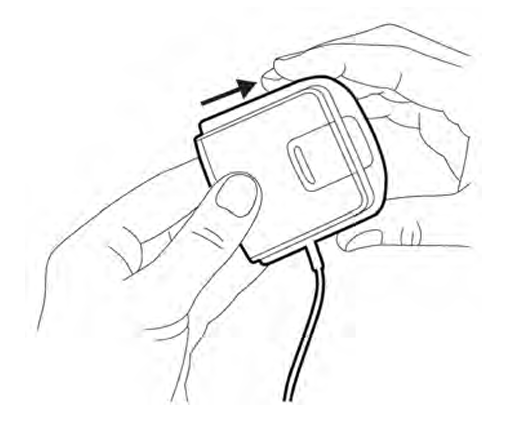
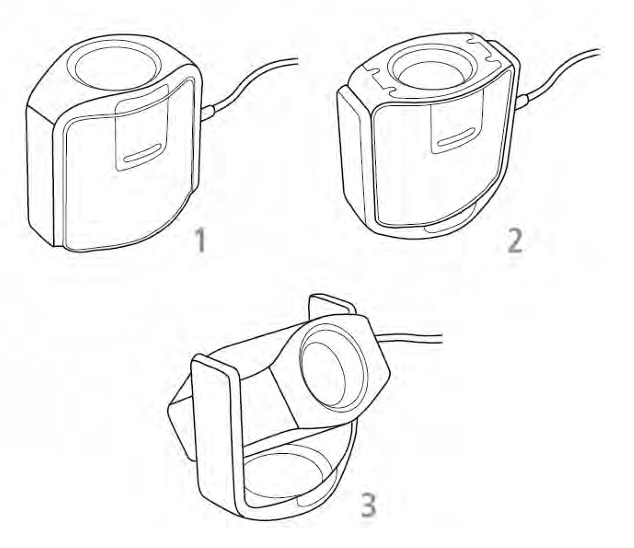
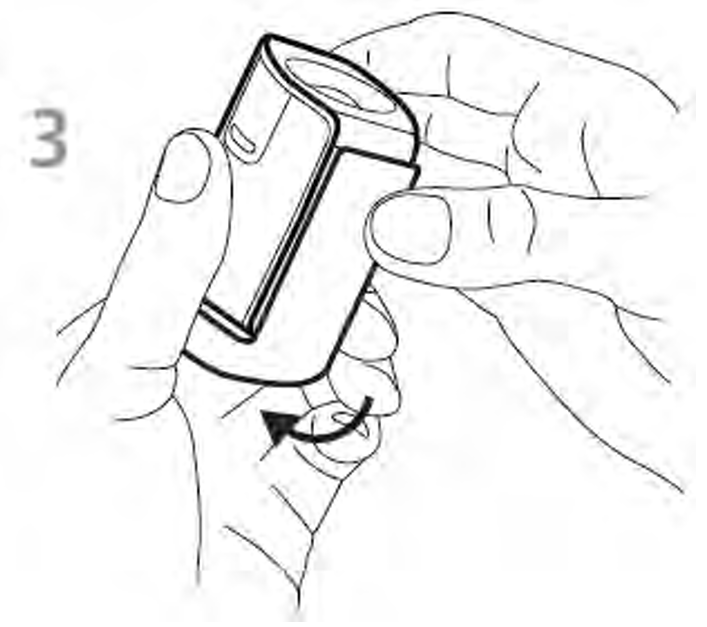
The ambient diffuser arm snaps into place over the measurement optics. Be sure to lift up on the ambient diffuser arm before attempting to rotate it into different measurement positions.
Product Usage
Monitor Measurement Installation
-
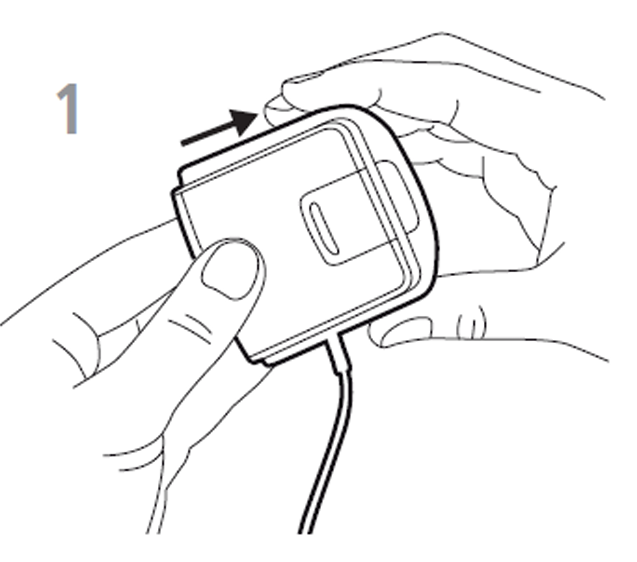
Lift the ambient diffuser arm up.
-
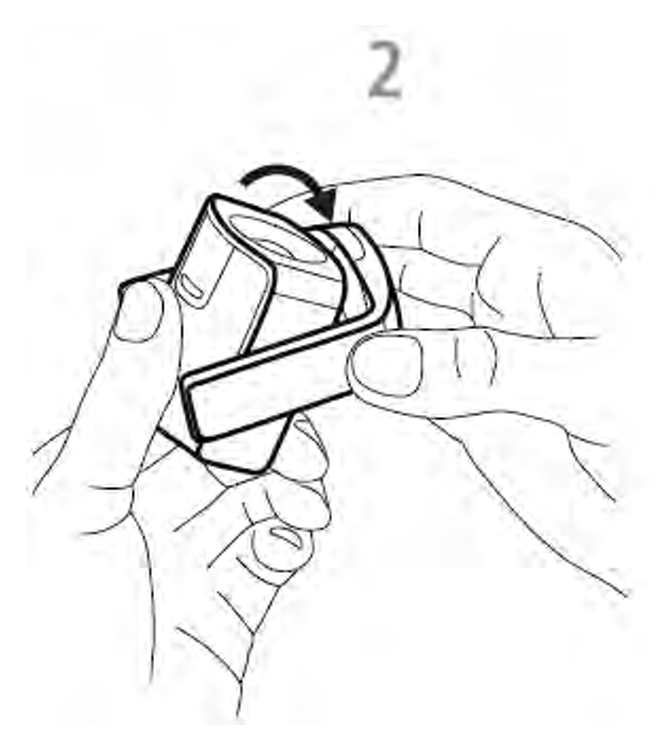
Rotate the ambient diffuser arm to the rear position.
-
Ambient diffuser arm will snap into place when located in rear position.
-
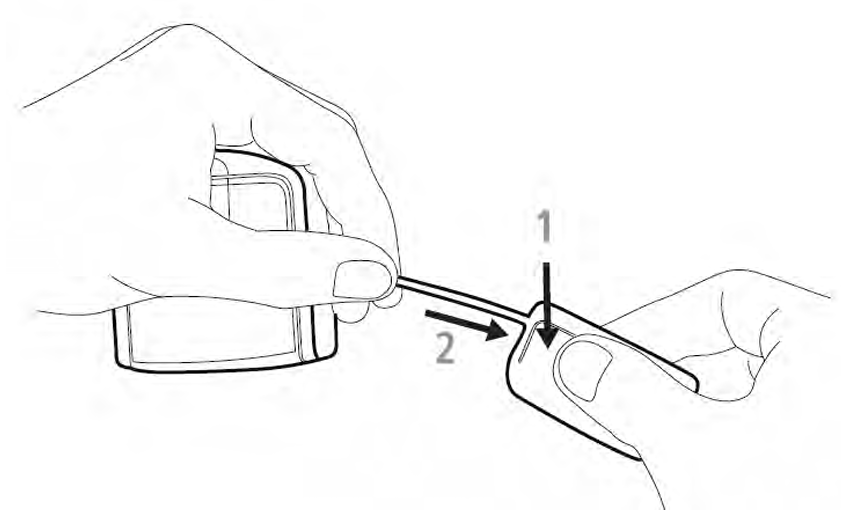
To adjust the position of the counterweight, depress the button on the counterweight while simultaneously sliding down the counterweight to the desired location.
-
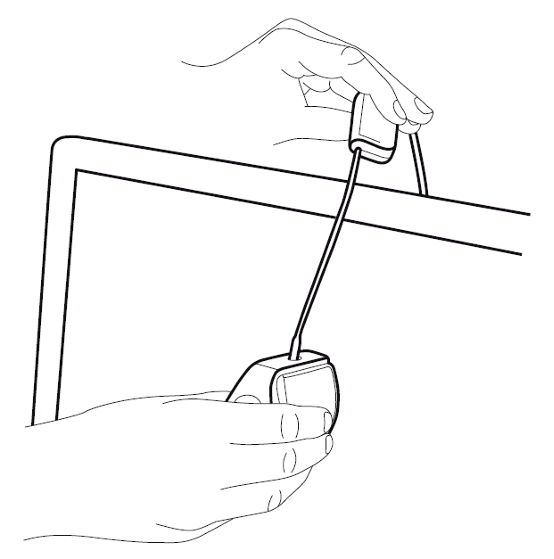
To mount the device on your display, position the optics in contact with the center of your display. Then position the USB cable and counterweight behind your display.
-
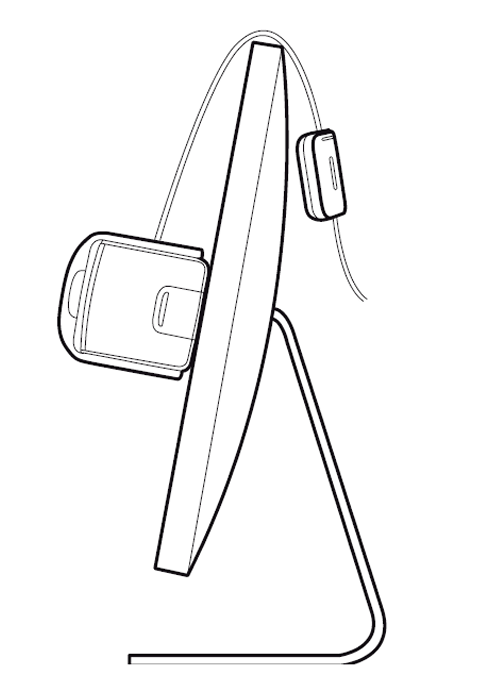
Adjust the position of the counterweight according to the size of your display. Ensure that the foam pad on the front of the device sits flat on your display.
Ambient Light Measurement Installation
-
Rotate the ambient diffuser arm until the diffuser is positioned over the optics.
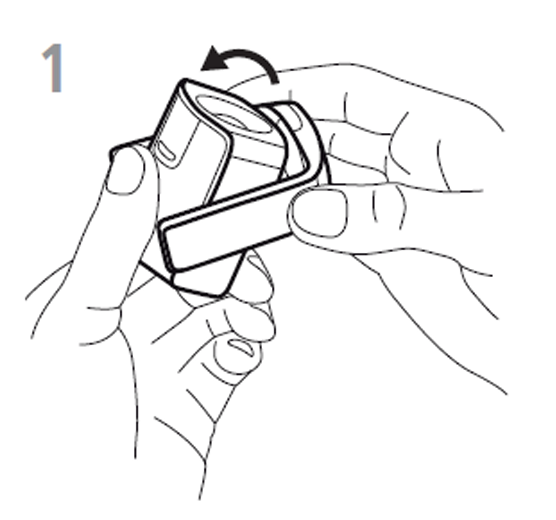
-
Press down on the ambient diffuser arm until it snaps into place over the optics.
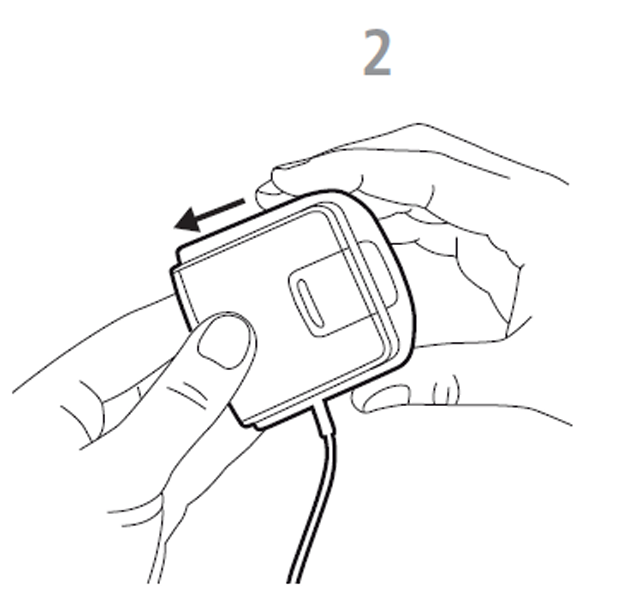
-
Position the device on your work surface next to your display with the ambient diffuser pointing upwards.
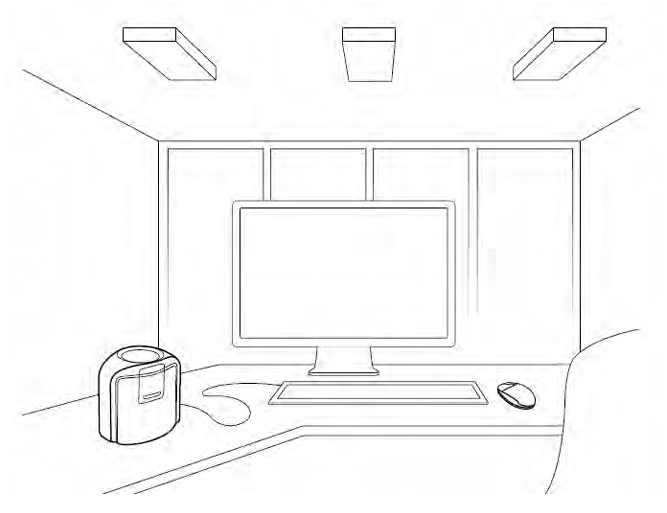
Projector Measurement Installation
-
Lift up on the ambient diffuser arm.
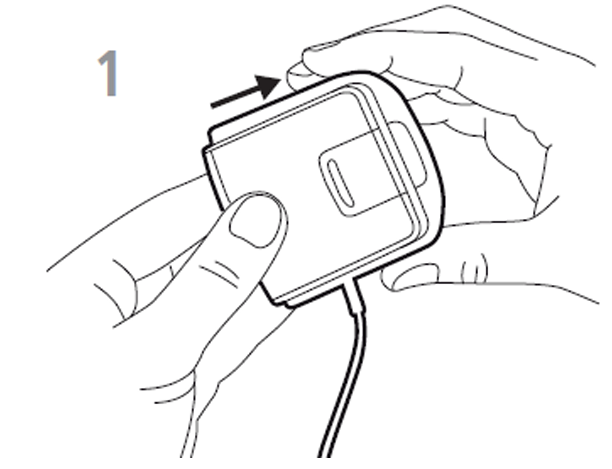
-
Rotate the ambient diffuser arm halfway towards rear position.
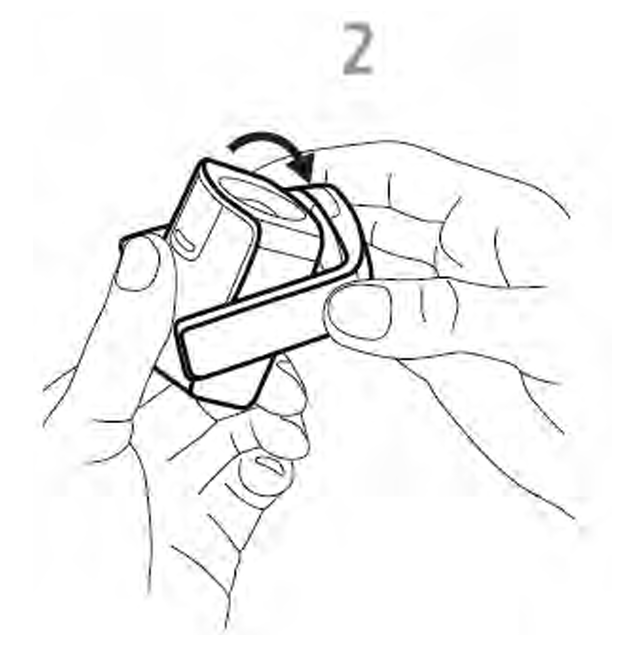
-
Use the ambient diffuser arm as a stand and position the device on a table in front of the projector screen.
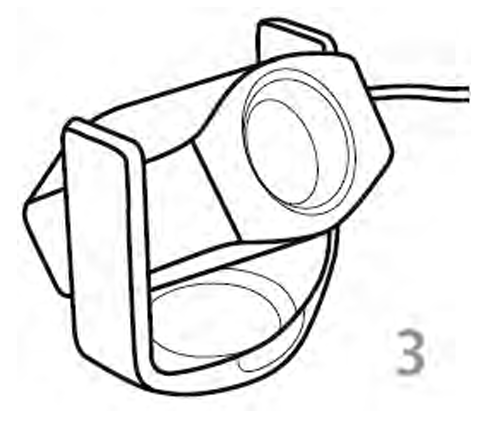
A threaded tripod mount is also available on the bottom of the device for use with a tripod.
-
Rotate the device up or down and pivot left or right until the device optics point towards the center of the projector screen. For best results, position the device as close to the projector screen as possible and set room lighting to the intended viewing conditions.
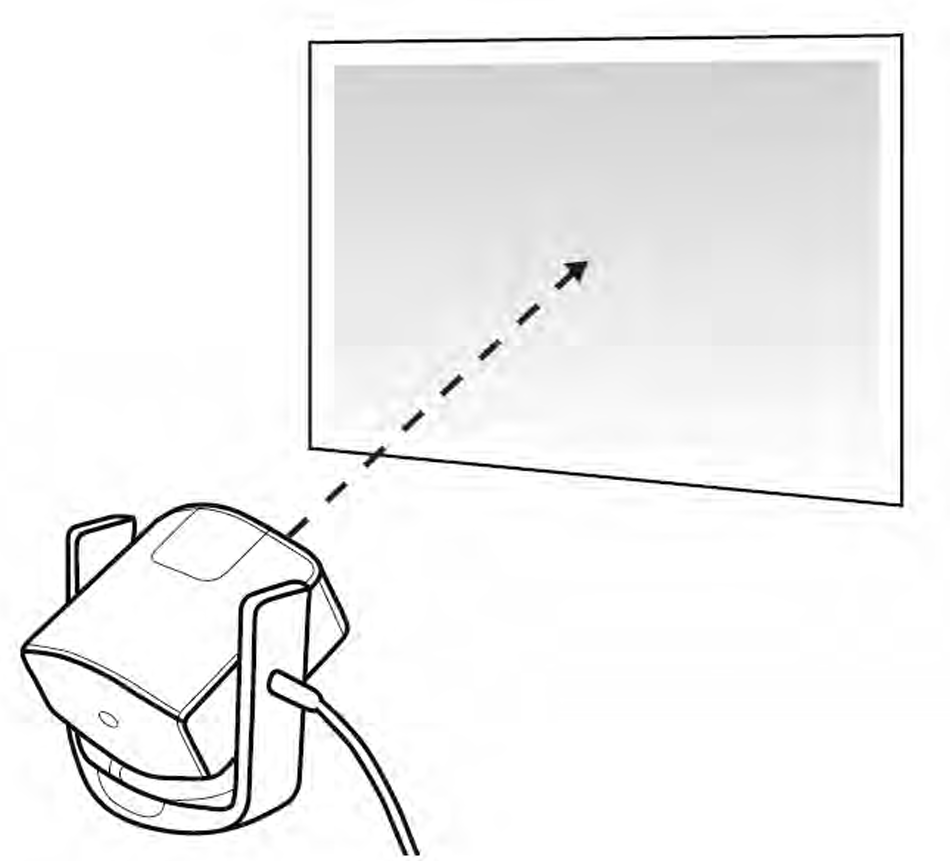
Recording a Measurement
Once you've positioned your device for the desired measurement, you can take the measurement through your preferred software.
If you are recording your measurement using the LabMaestro Software, see Using X-Rite and Other Measurement Tools for details.
If you are recording your measurement using our Matlab API, see Collect data from an i1Pro Spectrophotometer or i1Display Pro Colorimeter.
If you are recording your measurement using our Python API, see i1Display.
Maintenance & Cleaning
If cleaning is required, first use a lens blower brush to remove loose dust. Then GENTLY wipe the lens with a soft lint-free cloth.
Never use water, solvents or detergents to clean the lens or body of the device, as these may cause damage or deformation.
Troubleshooting
If you require assistance to calibrate your display Gamma, please see Gamma-Correct the Luminance of a Display.
Still stuck? https://docs.vpixx.com/contact
Compliance
For Canada
This Class B digital apparatus complies with Canadian ICES-003. Cet appareil numérique de la classe B est conforme à la norme NMB-003 du Canada.
For the United States of America
This equipment has been tested and found to comply with the limits for a Class B digital device, pursuant to Part 15 of the FCC Rules. These limits are designed to provide reasonable protection against harmful interference in a residential installation. This equipment generates, uses and can radiate radio frequency energy and, if not installed and used in accordance with the instructions, may cause harmful interference to radio communications. However, there is no guarantee that interference will not occur in a particular installation. If this equipment does cause harmful interference to radio or television reception, which can be determined by turning the equipment off and on, the user is encouraged to try to correct the interference by one or more of the following measures:
-
Reorient or relocate the receiving antenna.
-
Increase the separation between the equipment and receiver.
-
Connect the equipment into an outlet on a circuit different from that to which the receiver is connected.
-
Consult the dealer or an experienced radio/TV technician for help.
For European Countries
DECLARATION OF CONFORMITY
Manufacturer’s Name: X-Rite, Incorporated
Authorized Representative: X-Rite, Incorporated
Siemensstraße 12b • 63263 Neu-Isenburg • Germany
Phone:+49 (0) 61 02-79 57-0 • Fax: +49 (0) 61 02 -79 57-57
Model Name: i1Display Directive(s)
Conformance: EMC 2004/108/EC and LV 2006/95/EC
To remain CE compliant, only CE compliant parts should be used with this product. Maintaining CE compliance also requires proper cable and cabling techniques. VPixx Technologies will not retest systems or components that have been modified by customers.

For EU Member States:

Declaration of ROHS Compliance

Safety & Warranty
This product is warranted against manufacturing defects in materials and workmanship for two (2) years for parts and labour from the date of shipment.
Precautions
-
Place the ambient diffuser over the optics when not in use. The ambient diffuser will prevent dust or dirt from accumulating on the lens.
-
Always use and store the device between 10° C to 35° C at 20% to 80% relative humidity (non-condensing).
All colorimeters must be protected from prolonged exposure to humidity and direct light. After each use, place the i1Display Pro in its protective case. Failure to do so may result in the colorimeter requiring premature recalibration.