
Introduction
Starting with version 1.10, you can render in high bit depth directly from LabMaestro. This process is automated and will adjust your stimuli to the selected mode. This short tutorial demonstrates how to do this.
Prerequisites
-
LabMaestro is installed and activated
-
A DATAPixx3 device is connected to your display
Project Files
Changing Video Mode in LabMaestro
Through Timeline Properties (Recommended)
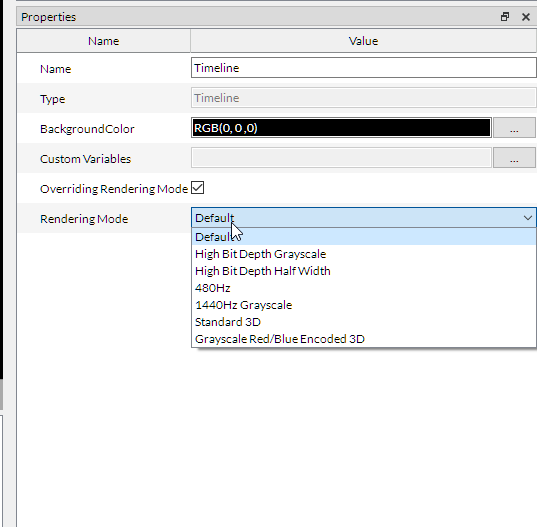
The first option is to specify a rendering mode for the experiment Timeline. The rendering mode defined for a specific timeline overrides the one defined in device properties, making it useful if you need to change rendering modes between timelines during the experiment. To do so, you must first check the Overriding Rendering Mode box in your timeline’s properties (double-click on the timeline to access its properties). In the properties, select the preferred rendering mode.
Directly for Each VPixx Device
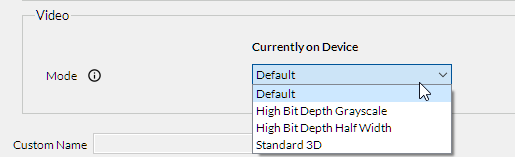
You can also define the rendering mode by clicking on your VPixx hardware in the Project window, under the Environment tab, where you can access the device properties. In the Video section, you can select the required video mode for your experiment.
Rendering Modes
High Bit Depth Grayscale (M16)
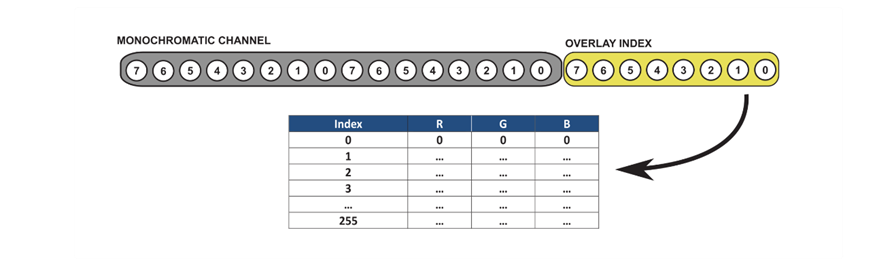
The high-bit-depth grayscale rendering mode enables VPixx hardware to display grayscale stimuli with greater precision, albeit at the expense of colour rendering. High bit-depth modes combine the 8-bit red and green colour channels into a single 16-bit grayscale channel. This mode is compatible with all supported screen resolutions. As such, high-bit-depth grayscale rendering can be instrumental for experiments that benefit from higher precision in gray levels but do not use coloured stimuli. You can optionally use the remaining 8 bits of the blue colour channel to index a user-defined 256×3 CLUT containing 16-bit RGB pixel values. Images assigned to a row in this table will be drawn as an overlay on the main grayscale image.
For more information on the inner workings of M16 rendering, please visit the vocal guide on this mode.
High Bit Depth Grayscale Demo
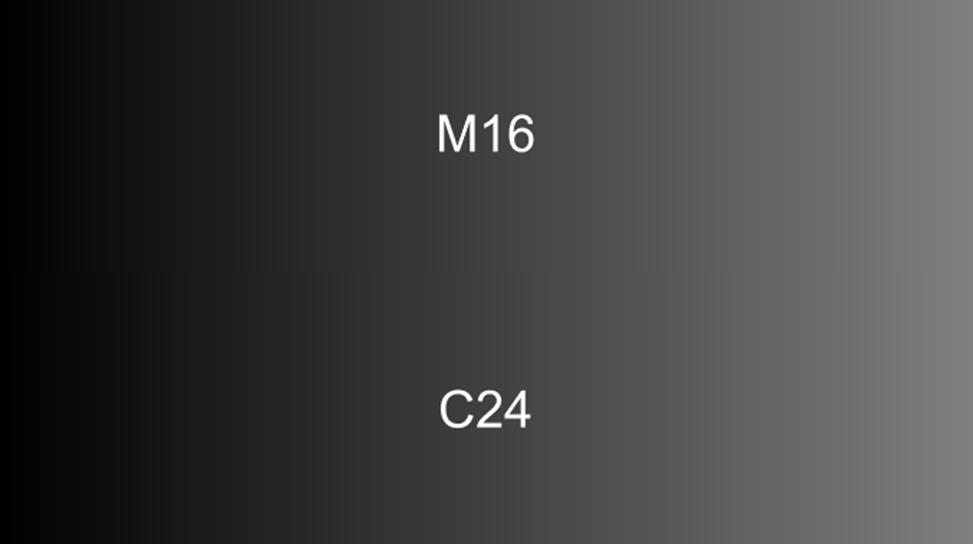
The M16RenderingDemo displays two ramps: one going from black (0) to gray (0.5) and the other from gray (0.5) to black (0). The top ramp uses 16-bit values to define shades of gray, while the bottom ramp uses simulated 8-bit values. Running this demo in the default rendering mode reveals no difference between the two ramps. However, when run using high-bit-depth grayscale rendering, it becomes apparent that the top ramp is much more precise than the bottom ramp. The difference is evident in the greater quantization of the bottom ramp compared to the top one, as 8-bit rendering supports only 28 shades of gray, whereas 16-bit rendering supports up to 216.
Depending on your display, fewer values may be available (for instance, the PROPixx can render 212 shades of gray).
High Bit Depth Half Width (C48)
High Bit Depth Half Width rendering enables VPixx hardware to expand the range of displayed colour levels for all three colour channels (red, green, and blue) by increasing the possible values from 28 to up to 216. This mode costs half the display’s horizontal resolution (e.g., 1920x1080 becomes 960x1080). High Bit Depth Half Width rendering can be beneficial when better colour precision is required, and high resolution is not necessary.
For more information on the inner workings of C48 rendering, please see the vocal guide on this mode.
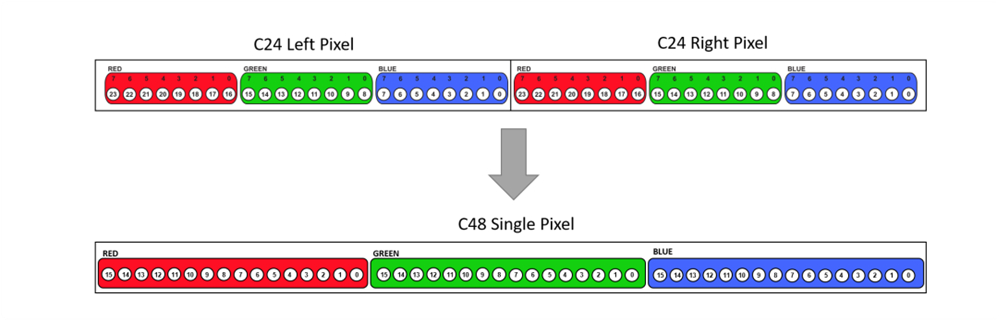
High Bit Depth Half Width Demo
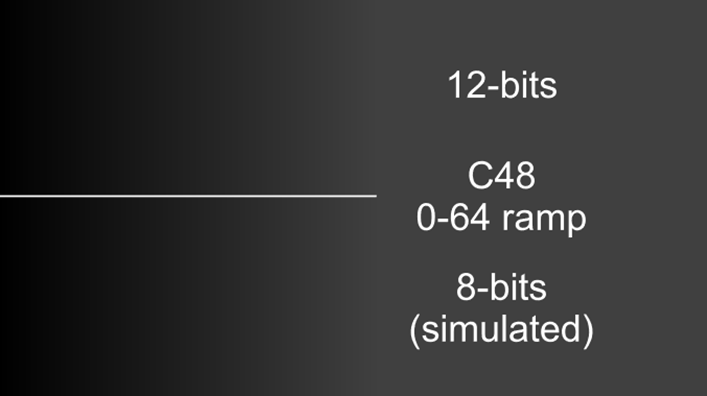
The High Bit Depth Half Width demo displays two ramps. The top one showcases the increased precision of the High Bit Depth Half Width rendering mode, and the bottom one shows standard rendering. As the demo is built for use with the PROPixx, the top ramp has 12-bit precision (212 colour values). The bottom ramp will display larger quantization, as the colour precision is lower. Four ramps are shown, starting with the red channel, then green, blue, and grayscale. If you override the display rendering back to its default mode, no differences will be observable between the two ramps.
Related Links
Rapid Invisible Frequency Tagging (RIFT) stimuli
Introduction to Bit Depth and Colour Lookup Tables (CLUTs)
M16 Overlay