
This page is intended for LabMaestro Ver. 1.11.0 and beyond.
When creating a timeline, you can define multiple properties.
Name:
The name of your timeline object. For ease of use, consider naming your timeline to describe what happens within it, e.g, calibration.
Type:
The type of the LabMaestro object. In the case of a timeline, the type is locked as “Timeline” and cannot be edited.
BackgroundColor:
Set the background color for your experiment while this timeline runs. By default, the background is set to RGB(0, 0, 0) (Black).
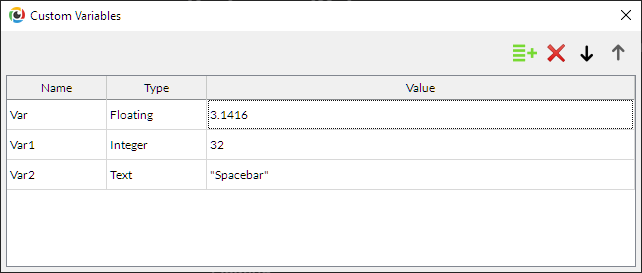
Custom Variables:
Define custom variables that expressions within this timeline can call. You can define any number of variables of the following types, as well as their initial values:
-
Integer
-
Floating
-
Boolean
-
Text
-
Random Floating
-
Color
Overriding Rendering Mode:
Toggle on to allow this timeline to run on a predefined rendering mode, regardless of device properties. This can be useful if your project has multiple timelines requiring different rendering modes.
Rendering Mode:
Specify the rendering mode in which this timeline must run. This is available only when “Overriding Rendering Mode” is toggled on and has a higher priority than the rendering mode defined in your device properties.